Multichannel ticket creation
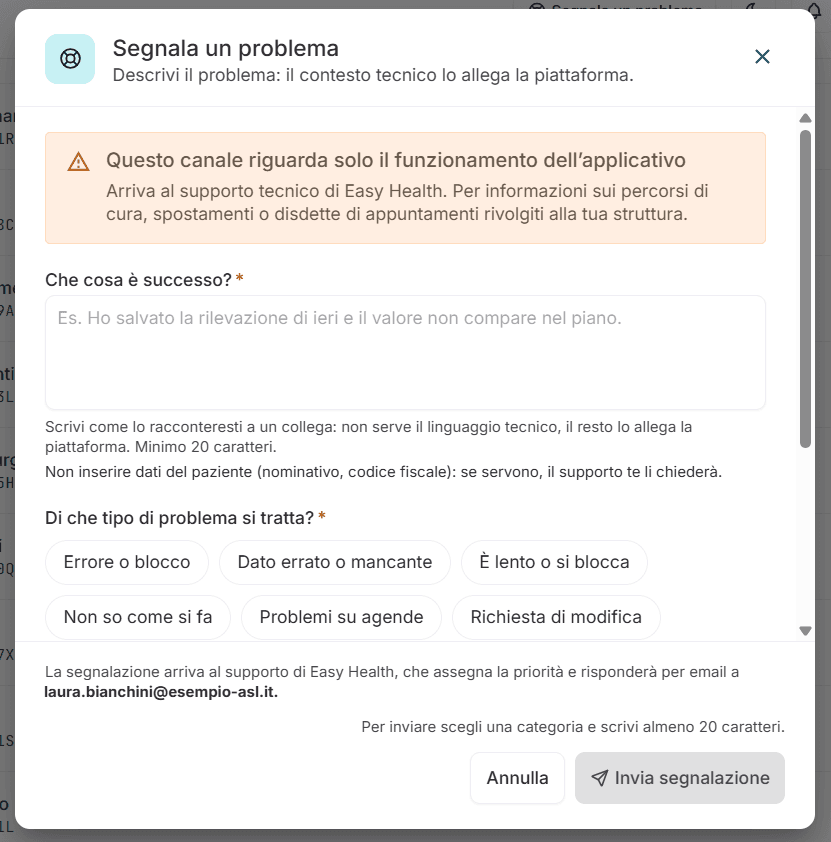
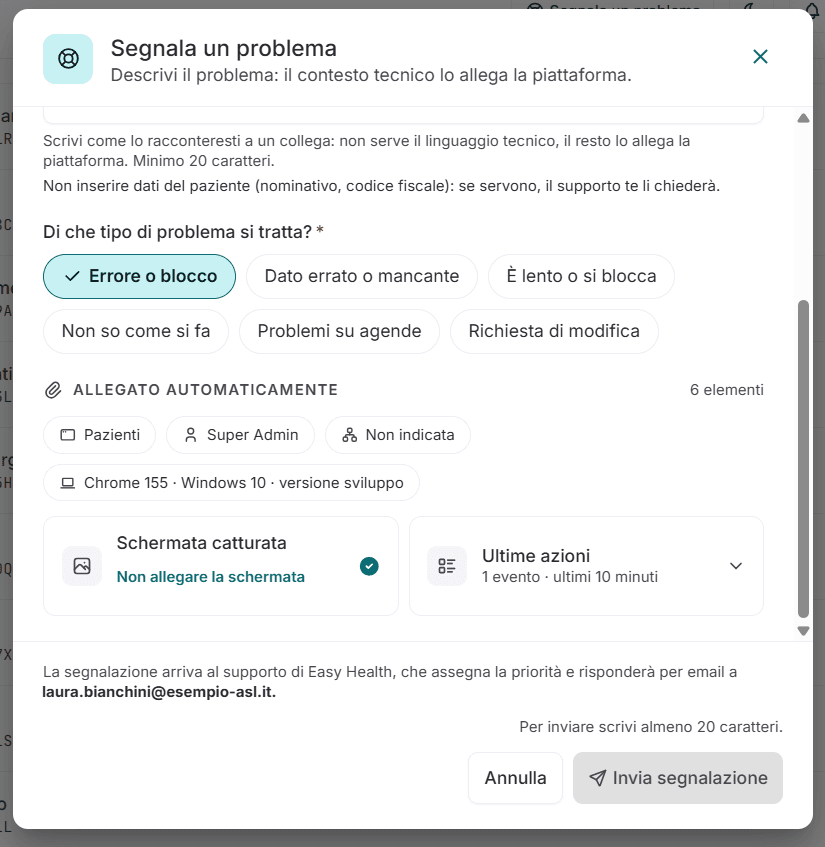
Tickets opened from the portal, by email or directly from the platform in use, with category and attachments.
Ticket management
Every support request, in one place.
The platform for opening, routing and closing support tickets. It is used by healthcare staff on our solutions, by the organisation's IT help desk for other software too, by citizens and patients, and by our support team.
Request a demo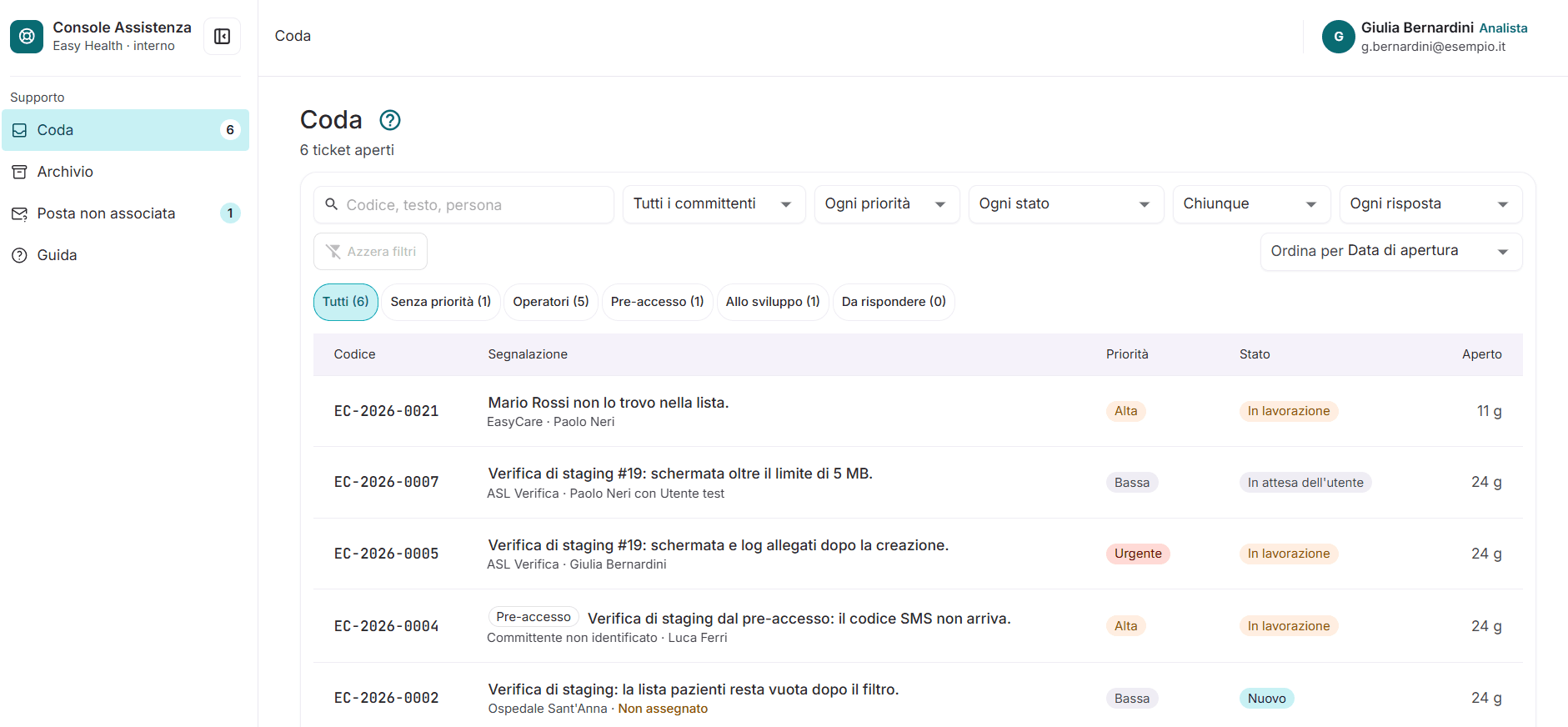
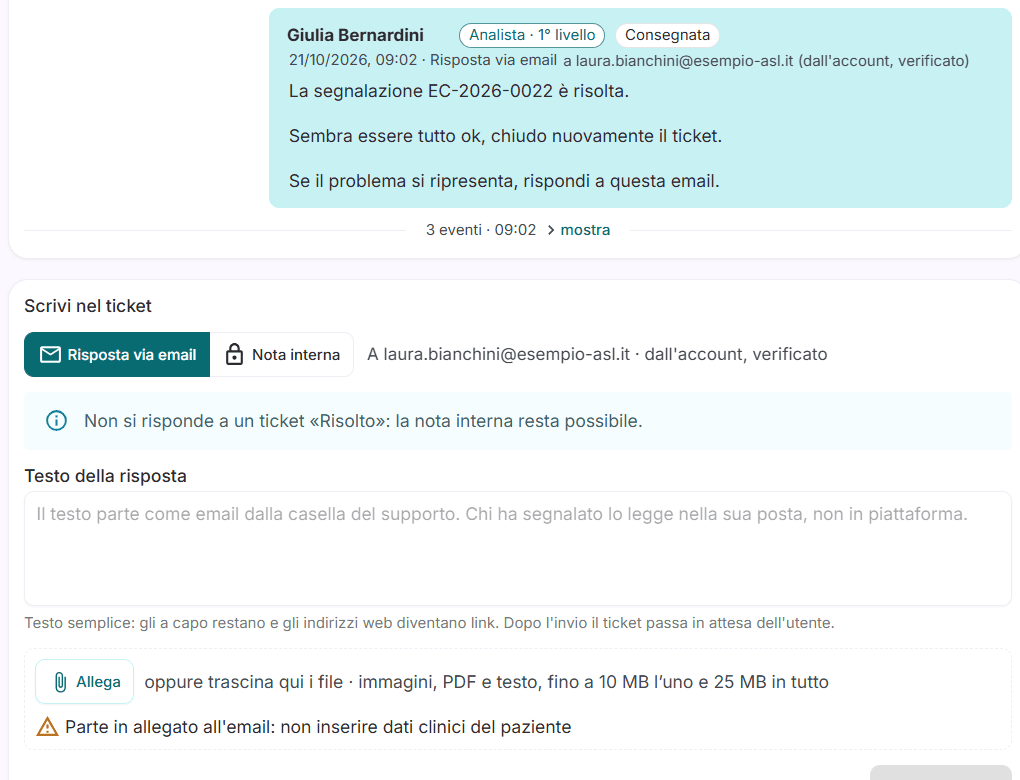
Images with fictitious data, for illustration only.
Tickets opened from the portal, by email or directly from the platform in use, with category and attachments.
Automatic routing by category and support level, assignment to groups and operators.
Priority levels, monitored response and resolution times, with deadline alerts.
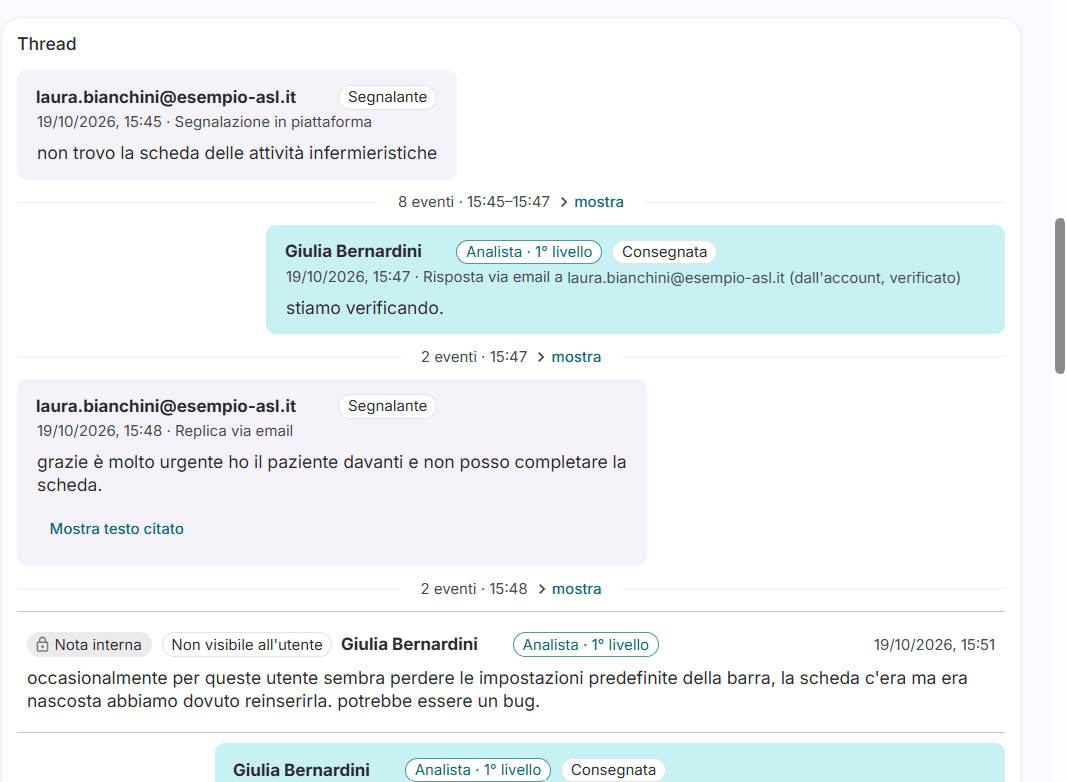
Messages, status updates and attachments stay in the ticket; whoever opened the request can follow it through to closure.
Guides and answers to frequently asked questions, suggested as soon as a ticket is being opened.
Volumes, average times and recurring topics by service, to see where action is needed.
The request comes in from the portal, by email or from the platform.
Category, priority and support group assigned.
The operator replies and updates the status in the ticket.
Outcome recorded, requester informed, history available.
Who it is for
Tell us how care is organised in your area: we'll prepare a demo on your own pathways, not on a textbook case.